Primer Blog
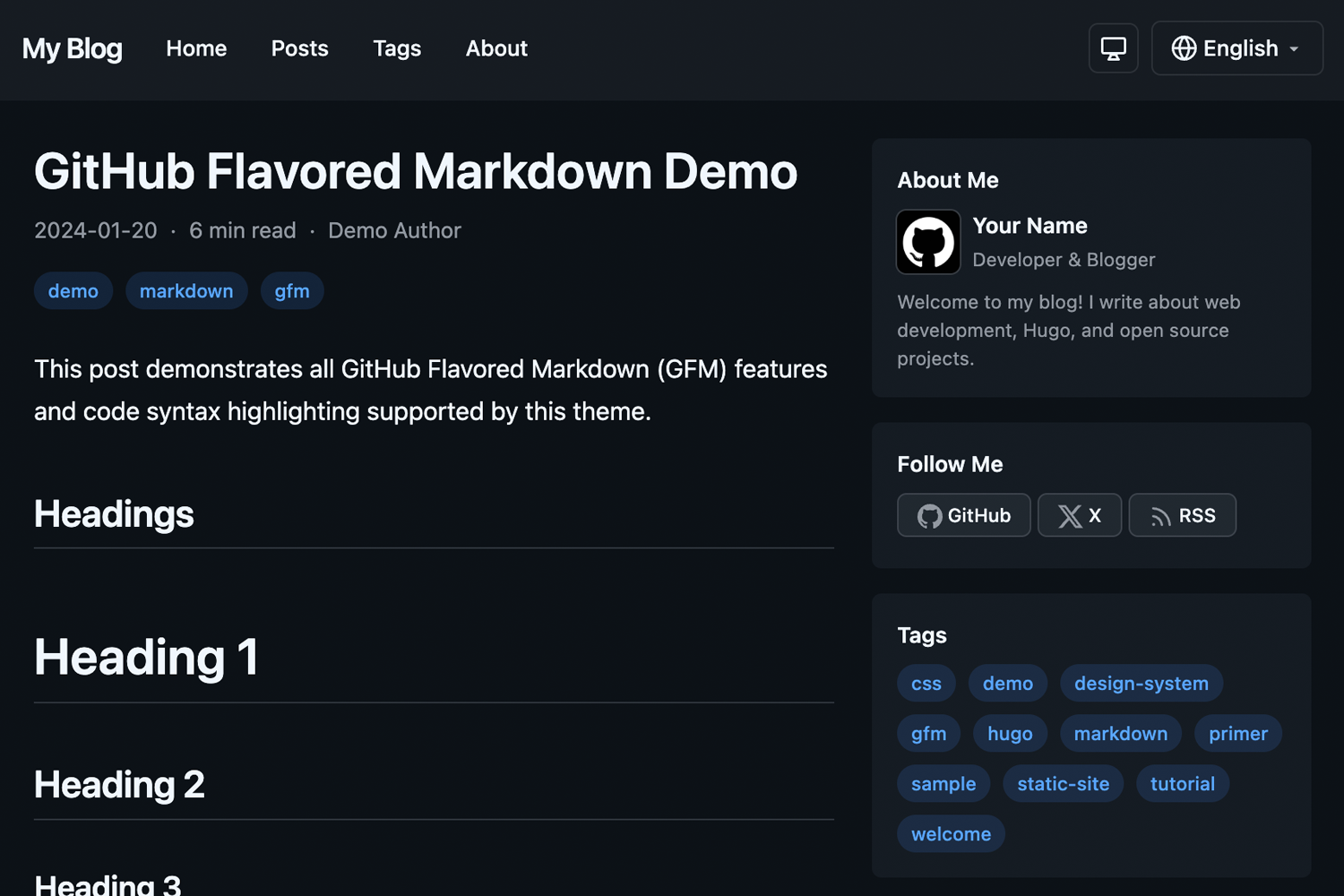
A clean, responsive Hugo blog theme using GitHub’s Primer CSS design system.
Features
- Dark Mode - Automatic system preference detection with manual override, saved to localStorage
- Multilingual - Full i18n support with included English and Japanese translations
- Responsive Design - Looks great on all devices with optional sidebar layout
- Primer CSS - Built on GitHub’s design system for a clean, modern look
- Customizable Primary Color - Easy accent color customization via config
- Markdown Styling - Full Primer markdown styling for rich content
- LLM-friendly Output - Optional
llms.txtsite index and per-page raw Markdown for AI consumption - Hugo Pipes - Built with Hugo Pipes for optimized asset handling
Requirements
- Hugo v0.146.0 or later (Extended version not required)
- Node.js and npm (for Primer CSS dependencies during theme development)
Installation
As a Hugo Module (Recommended)
- Initialize your Hugo site as a module:
hugo mod init github.com/your-username/your-site
- Add the theme to your
hugo.toml:
[module]
  [[module.imports]]
    path = "go.ngs.io/hugo-primer-blog"
Note: This theme uses a vanity import path. The module is hosted at go.ngs.io/hugo-primer-blog and resolves to the GitHub repository.
As a Git Submodule
- Add the theme as a submodule:
git submodule add https://github.com/ngs/hugo-primer-blog.git themes/hugo-primer-blog
- Install npm dependencies:
cd themes/hugo-primer-blog
npm install
- Set the theme in your
hugo.toml:
theme = "hugo-primer-blog"
Configuration
Basic Configuration
baseURL = "https://example.com/"
title = "My Blog"
theme = "hugo-primer-blog"

defaultContentLanguage = "en"
defaultContentLanguageInSubdir = true

[params]
  sidebar = true            # Enable/disable sidebar
  recentPostsCount = 5      # Number of recent posts in sidebar module
  defaultTheme = "auto"     # auto, light, or dark
  dateFormat = "2006-01-02"
  showReadingTime = true
  showAuthor = true
  showShareButtons = true
  googleAnalyticsID = "G-XXXXXXXXXX"  # Google Analytics 4 ID

  # Sidebar modules - order determines display order
  # Available: recentPosts, tags, categories, archive, links (+ custom partials)
  [[params.sidebarModules]]
    partial = "recentPosts"

  [[params.sidebarModules]]
    partial = "tags"

  [[params.sidebarModules]]
    partial = "archive"

  [params.social]
    github = "your-username"
    x = "your-username"

  # Custom favicon (optional)
  faviconIco = "favicon.ico"
  faviconPng = "favicon.png"

  # Apple Touch Icons (optional)
  [[params.appleTouchIcons]]
    sizes = "180x180"
    href = "apple-touch-icon-180x180.png"
  [[params.appleTouchIcons]]
    sizes = "152x152"
    href = "apple-touch-icon-152x152.png"
Multilingual Configuration
[languages]
  [languages.en]
    languageName = "English"
    weight = 1
    contentDir = "content/en"

  [languages.ja]
    languageName = "日本語"
    weight = 2
    contentDir = "content/ja"
Menus
[menus]
  [[menus.main]]
    name = "Home"
    url = "/"
    weight = 1

  [[menus.main]]
    name = "Posts"
    url = "/posts/"
    weight = 2

  [[menus.footer]]
    name = "Privacy"
    url = "/privacy/"
    weight = 1
Content Structure
content/
├── en/
│   ├── posts/
│   │   └── my-post.md
│   └── about.md
└── ja/
    ├── posts/
    │   └── my-post.md
    └── about.md
Front Matter
---
title: "My Post Title"
date: 2024-01-15
draft: false
tags: ["hugo", "primer"]
categories: ["tutorial"]
author: "Your Name"
description: "A brief description of the post"
image: "/images/featured.jpg"  # Optional featured image (992×525 recommended; rendered at that aspect ratio)
hideReadingTime: true          # Optional: hide reading time for this page
---
Custom Open Graph (OGP) Meta Tags
You can customize Open Graph meta tags per page using the ogp frontmatter. The structure is recursively converted to meta tags:
---
title: "About Me"
ogp:
  og:
    type: profile
  profile:
    first_name: Atsushi
    last_name: Nagase
    username: ngs
    gender: male
---
This generates:
<meta property="og:type" content="profile">
<meta property="profile:first_name" content="Atsushi">
<meta property="profile:last_name" content="Nagase">
<meta property="profile:username" content="ngs">
<meta property="profile:gender" content="male">
Nested structures are supported with colon-separated property names:
ogp:
  foo:
    bar:
      baz: "value"
Outputs: <meta property="foo:bar:baz" content="value">
Arrays generate multiple meta tags with the same property:
ogp:
  article:
    tag:
      - Hugo
      - Blog
      - Tech
Outputs:
<meta property="article:tag" content="Hugo">
<meta property="article:tag" content="Blog">
<meta property="article:tag" content="Tech">
Default og:* tags (title, description, type, url, image, site_name, locale) are automatically generated unless overridden in the ogp.og section.
LLM-friendly Output (llms.txt & Markdown)
The theme ships two optional output formats that make your content easy for LLMs and AI agents to consume:
LLMS- renders a single/llms.txton the home page: an index of your posts (title, link, and description) following the llms.txt convention.Markdown- renders a raw Markdownindex.mdnext to each page’sindex.html, containing the page’s original Markdown content without HTML rendering.
Enabling
The theme defines these output formats (and their media types) and provides the templates, but does not enable them by default. You opt in per site via [outputs]:
[outputs]
  home = ["HTML", "RSS", "LLMS"]
  page = ["HTML", "Markdown"]
Why opt in here, and not in the theme? Hugo merges most config keys from themes, but the
outputskey uses thenonemerge strategy, so it is not inherited from a theme. The format definitions (outputFormats/mediaTypes) use theshallowstrategy and are inherited, so all you need in your own config is the[outputs]block above. See Merge configuration from themes.
Once enabled, hugo generates:
public/
├── llms.txt                       # site index (home page)
├── about/
│   └── index.md                   # raw Markdown for the About page
└── posts/
    └── my-post/
        ├── index.html
        └── index.md               # raw Markdown for the post
For multilingual sites, one llms.txt is generated per language (e.g. /llms.txt and /ja/llms.txt), automatically using each language’s title, description, and posts.
Customizing
The output is rendered by two templates you can override like any other:
layouts/home.llms.txt- thellms.txtindex. By default it lists pages in thepostssection.layouts/page.md- the per-page Markdown rendering.
Copy either file into your site’s layouts/ directory to customize it.
Customization
Primary Color
You can customize the accent color used for links, tags, pagination, and other interactive elements:
[params]
  primaryColor = "#8250df"  # Purple
This overrides the default GitHub blue (#0969da) with your chosen color. The theme automatically generates appropriate shades for light and dark modes.
Custom CSS
Create assets/css/custom.css in your site root to add custom styles:
/* Your custom styles here */
The theme’s own styles live in assets/css/primer-blog.css. Your custom.css is loaded after it, so your rules override the theme without shadowing it. (See exampleSite/assets/css/custom.css for a working example.)
Overriding Templates
Copy any template from the theme’s layouts/ directory to your site’s layouts/ directory to override it.
Development
To run the example site:
git clone https://github.com/ngs/hugo-primer-blog.git
cd hugo-primer-blog
npm install
hugo server --source exampleSite
Then open http://localhost:1313 in your browser.
Contributing
Contributions are welcome! Please feel free to submit a Pull Request.
License
This theme is released under the MIT License.
Credits
- Hugo - The world’s fastest static site generator
- Primer CSS - GitHub’s design system